Right Now!

users Online:

Moderator: Offline
Showing posts with label Snow Leopard OS. Show all posts

Thursday, July 8, 2010

Full Version of Snow Leopard OSX DVD


Mac OSX Snow Leopard 10.6 RETAIL DVD [200MB Links]


What you need:

- Disk Utility.
- DVD-DL (Dual Layer/DVD9).
- DVD+/-R DL Burner.

1. Mount the "Mac OS X Install DVD.iso"
2. Open Disk Utility.
3. From the drive list on the left, select the .iso image (Mac OS X Install DVD).
4. Click "Burn" to burn on your dual layer DVD.
5. When the disc is burnt, restart your computer and hold 'c' to boot from the DVD.
6. Follow the instructions to install Snow Leopard on my Forum.


Links are available for a few days in my Forum on the link below:


Snow Leopard OSX DVD

Note: You Must be a member to login.

Tuesday, June 8, 2010

Mac OS X Snow Leopard 10.6.4 build 10F54 (Beta)


Apple announced the availability of the fourth beta version 10.6.4 update for the operating system Snow Leopard. In the new assembly for the number 10F54 corrected some errors that were observed in the previous assembly. Distribution of beta versions can be downloaded right now, its volume is 576.1 MB.


Recall that in previous builds were seen problems associated with incorrect formatting of text marketing. It is reported that the 10F54 version of all these problems resolved. As before, the developers and this time focused on such aspects as the work of graphic drivers, SMB, USB, Voice Over and VPN.
In previous builds have been resolved issues that could lead to loss of connection with the trackpad, and keyboard. In addition, errors have been eliminated, which is periodically hindered the launch of some applications, a component of Adobe Creative Suite 3.
No unresolved issues 10.6.4 Apple suggests that the update 10.6.4 released within the next 1-2 weeks.

I had installed it on a Toshiba Satellite L 305 Series and a HP DV7t and in both system Improved in performance. Before the installation of the 10.6.4 on the DV7t CT 3100 Series, I had some minor issues and got fixed after the upgrade.


HP DV7t


Toshiba Satellite L 305


Download it here:


Mac OSX 10.6.4_ 10f54.part1.rar

Mac OSX 10.6.4_ 10f54.part2.rar

Mac OSX 10.6.4_ 10f54.part3.rar

-All the GeForce's kexts are updated in the new Release (10f54 Beta) and the kexts version (19.5.8b06) is different from the one released on New MBP (19.5.2f18) which used NVidia Graphic Card.

One more thing, In the 10.6.4 Beta released apple has included the Intel HD Graphic kexts. AppleIntelHDGraphics.kext, AppleIntelHDGraphicsGA.plugin, AppleIntelHDGraphicsGLDriver.bundle.

- among others updated kexts: IO80211Family.kext, ATIRadeonX1000.kext, IODVDStorageFamily.kext, IOGraphicsFamily.kext, etc..

-Applications updated: Address Book.app, Calculator.app, Dashboard.app, Front Row.app, iCal.app, iChat.app, Mail.app, QuickTime Player.app, Safari.app, Time Machine.app, and Utilities (Bluetooth, Disk Utility, Expose, Keychain, Raid Utility, Space and Voice Over Utility.app


Don't forget to Subscribe to my Blog!


The Mac OS X 10.6.4 Update (delta) updates
- Mac OS X 10.6.3
- Any earlier seed of Mac OS X v10.6.4 ONLY AFTER installing the included reversioner. If you installed a previous seed of Mac OS X v10.6.3, please install the enclosed Reversioner.pkg, do not restart but install the update immediately.

The Mac OS X 10.6.4 Update (combo) updates
- Mac OS X 10.6, 10.6.1, 10.6.2 or 10.6.3
- Any earlier seed of Mac OS X v10.6.4 ONLY AFTER installing the included reversioner. If you installed a previous seed of Mac OS X v10.6.4, please install the enclosed Reversioner.pkg, do not restart but install the update immediately.

Wednesday, May 19, 2010

Snow Leopard Cache Cleaner v5.0.3


Snow Leopard Cache Cleaner v5.0.3 included Keygen

Snow Leopard Cache Cleane (sLCC) is an award winning general purpose tool for Mac OS X.
sLCC makes system maintenance simple with an easy point and click interface to many OS X functions.
Novice and expert users alike will appreciate the powerful toolset sLCC provides.
sLCC is installed on thousands of personal and business systems around the globe.

Snow Leopard Cache Cleaner (sLCC) is a utility designed to provide easy access to numerous OS X maintenance and utility options. When used in combination with OS X's disk repair tools, it can be very effective in curing many system problems. Snow Leopard Cache Cleaner helps simplify system maintenance chores with an easy point and click interface to many OS X functions. sLCC Documents and the sLCC Engine can help maintain system health by providing set and forget automation of common maintenance chores. Used as directed, Snow Leopard Cache Cleaner can be a powerful tool to keep OS X running smoothly.

Maintainenance
Snow Leopard Cache Cleaner is a one stop solution for all of your OS X maintenance needs. Intel or PPC, Panther or Snow Leopard, sLCC has the tools to keep your system running at its best. sLCC Documents and the sLCC Engine maintain system health by providing full automation of common maintenance chores including virus scanning of internet downloads. The sLCC Engine can even repair permissions automatically after software installations. With the sLCC Engine, powerful system maintenance and antivirus can be completely transparent or as close as your menu bar.

Optimization
Snow Leopard Cache Cleaner can improve system performance by tuning internet and file cache settings, implementing ram disks, and cleaning out various cached and stale data. sLCC includes tools to help optimize files and memory. sLCC can recover wasted disk space by eliminating language localization files and slimming Universal Binaries.

Customization
Snow Leopard Cache Cleaner lets you control your OS X experience. Turn off Spotlight or Dashboard, or turn on a Login Items Folder. sLCC can tweak many OS X features to suit your tastes. All without permanently altering or harming your system.

Disaster Planning
Snow Leopard Cache Cleaner lets you create bootable Emergency Disks that include system repair utilities and sLCC's powerful cache cleaning functions. If disaster strikes, the power of Snow Leopard Cache Cleaner is available at the command prompt in Single User Mode. Registered users of sLCC can install a portable version on a flash drive or iPod. Snow Leopard Cache Cleaner Portable runs on any supported Mac and is a great tool for testing hard drives, screen pixels, batteries, ram, and more before buying a machine.

Antivirus
Snow Leopard Cache Cleaner helps protect your system from malware. sLCC adds three additional layers of malware protection to Snow Leopard, and ships with the powerful ClamAV antivirus built in. sLCC can scan your downloads on the fly providing industrial strength virus protection from Mac and Windows threats.

And even more features...


Snow.Leopard.Cache.Cleaner.5.0.6..zip


Don't forget to Subscribe to my Blog!

How to install: Download and open the folder, drag and drop Snow Leopard Cache cleaner into "Applications Folder". Then open the application, it will ask you for a Registration Number, Open "keyGen" and type your name or any name and click on "Generate Serial". Copy and paste the key number and you're all done!

Monday, May 10, 2010

Rebel EFI (Full Version)

First Download and save"Rebel EFI" Bootloader into your computer.


Next step: Burn The .iso with a Burn Disc Image software like Nero, DVD rip and burn, Roxio, Magicdisc, etc..

NOTE: Rebel EFI only supports SATA Optical Drives. The use of an IDE drive may prevent the computer from reading the Rebel EFI CD.

Startup your PC and insert Rebel EFI disc.


Next step: as soon as you PC Boots select "Boots options" in there select "CDROM".

and from there you start the installation of "Snow Leopard OS"


"Rebel EFI"

Remember to Insect the Bootloader CD before loading Snow Leopard OS.


Don't forget to subscribe to my blog!

Friday, February 19, 2010

which processor is the best for my HACKINTOSH?


Which processor should I buy? INTEL or AMD

That's a question that most people ask when they are shopping for a computer. Some people have no knowledge of computer and they end up buying something that they didn't need it. Now, nobody wants to throw away their money buying something that they don't need or something that is going to give them a very hard time. With today's technology computer has become not only faster but easy to use. The battle between AMD vs. Intel intensifies on as processors become inexpensive and better. AMD (Advanced Micro Devices) processor runs on a 64nm and 90nm process nodes whereas Intel runs on a smaller 45nm node.

When it comes to building a Hackintosh computer you want to go with the processor with less trouble. AMD is cheaper but that doesn't mean "Quality" and less trouble. When you try to install Snow leopard OS into a PC Computer, you want to use a processor with less trouble. Today you can find a program (also call "Distribution or distro) that allows you to install Mac OS in a PC computer but no every system is complete compatible or trouble free, especially when it came to the main part which is the processor. some of those distros are "iATKOS 5i 10.5.5, iDeneb v1.3 10.5.5, Chameleon-2.0-RC2, etc. and also "Rebel EF" made by Psystar (They went into a big trouble not only with Apple but also with the Hackintosh community for selling Rebel EFI which contain some open source code). I used "Rebel EFI" to install Snow Leopard OS and the whole process went pretty smooth but you have to remember that Rebel EFI doesn't work with AMD Processor. I've installed Snow leopard on some computers that runs on AMD processors and it was so frustrating. I have a much better experiences installing Mac OS on a computer running Intel processor than AMD processor. Is a matter of choice, I guess, But if you ask me I will go with Intel processor. Even running Windows OS I have some many problems running applications on AMD processors, that doesn't mean the Intel doesn't have problems but is less problematic than AMD processor, No wonder INTEL is more expensive.

You can go and read in The hackintosh communities forums and you'll see how frustrating and confusing is for some people to build their own hackintosh computer. Not only because of the lack of hardware support but also because everybody use a different system.

I would never buy a Computer that runs on AMD processor, not even running Windows OS. I just don't see the point of wasting my money on something that won't give me what I want, But again, It's just my opinion.


Building a hackintosh computer can frustrate people since there are not too many places for support. As a reference we most use the hackintosh community for support.

When you install Snow Leopard OS in a computer running Intel processor Most hardware works out the box (Not all of them), some need a kext (driver) to work. So, before start thinking about building a hackintosh computer you MUST do your Homework first.

To me the choice is very clear "Intel processor" are a Better and faster processor but at the end of the day the choice is yours. I would rather save more money and buying a better computer than just something that is going to give me a "Headaches" . You don't have to take my work for it, just try to build it and you'll see for yourself.


Inter processors have the advantage of being completely compatible with Mac OS and with AMD processors you'll need a program the will patch the computer's BIOS in order to run Mac OS. So you don't have to be a "rocket scientist" to notice the differences. But again, is up to you!

Why apple picked Intel over AMD? The reason, industry analysts say, is that apple has a clear goal in mind: innovative designs. And such designs require the lowest-voltage chips.

In m opinion also Because of the processor performance and quality!


spend a few Dollars more and have a better Hackintosh computer.

Again, it's just my opinion and experience!


If you have any questions don't hesitate to ask!


Sunday, February 14, 2010

Kext Utility x64 for Snow Leopard OS


Great Utility Tool you should have in you Hackintosh.

Kext Utility provide the next operations:

1)- Install kext files.

2)- Repair kexts permissions for system's and Extra folders

3)- Pack kext files to mkext cache file.

4)- UnPack mkext cache files. Note: The utility uses a modified widely applied fast method repairing of all (non/standart) kexts with little improvements.

Note that to run "Disk Utility" when you have enough time is the best way for repair all standart kext.


Download it here: Kext Utility x64 for SnowLeopard


Note: You need the file "Extensions.mkext" install into the extra/Extension folder in order to the utility tool to work.

You should run it to repair your kexts!


Repair & set permissions

Using the Repair Privileges Utility.

Most users of Mac OS X have not intentionally modified privileges and simply need a utility to reset system privileges to their correct default values.
open Disk Utility (/Applications/Utilities/). Select your Mac OS X startup volume in the column on the left of the Disk Utility window, then click the First Aid tab. Click the Repair Disk Permissions button.


I hope this information can help you to adapt yourself to Mac OS since most people who had using Windows OS most of their live have some hard time adapting and understanding Mac OS.


If you have any question of help with you Hackintosh, don't hesitate to ask. Don't forget to subscribe to my Blog!

Thursday, February 11, 2010

watch-out for Fake Snow Leopard OS web sites!

People eager to get a copy of the latest version of the Mac operating system, Snow Leopard, should be wary of sites offering free copies because they are likely to get some nasty malware instead, according to antivirus company Trend Micro.

Trend Micro said in a blog posting on Wednesday that it had discovered several fake Snow Leopard download sites that serve up a DNS (domain name system) changer Trojan dubbed OSX_JAHLAV.K instead.


You're better off by buying a retail copy of Snow leopard OS (Only $29) instated of downloading something that you have absolutely no idea what it has inside. Thousands of web sites are offering a free Snow leopard OS download but in most cases it comes with "Trojans and Malware".

If you're going to install Mac OS into a PC but aware that not all features and hardware are complete compatible with the operating system. Building a "Hackintosh" is not complicated as it sound but it can be a little stressful sometimes. Specially if you're not a costume to deal with Mac OS. When you compare how much money you will spend by building a Hackintosh computer against buying a original Mac, you're better off, with the hackintosh. for example the Macbook has only 2GB DDR3 memory and for that price you can get a PC with more GHz and Memory. The only challenge of creating your own hackintosh is to find the hardware support necessary but with some research you can find them. So, don't get discourage.

In the Links below you might find some help and support for your "Hackintosh Project".


en.wikipedia.org/wiki/OSx86


osx86Project.org


Hackintosh.org


3rd Party Drivers


Lifehacker.com


Netkas.org


One more thing: Some people have the wrong idea that apple computer don't get infect or attack with virus. The truth is that Mac OS doesn't get attack like Windows does but it get is fair share. So, if you can get a good AntiVirus do it. Just remember we have a "Hackintosh" which is still a PC running Mac OS.!!!


ESET released the results of a survey in November related to awareness of cybercrime in the U.S. The survey of more than 1,000 people found that while both PC and Mac users perceive the Mac as being safer, Mac users are victims of cybercrime just as frequently as PC users.
Meanwhile, Mac users are just as vulnerable to Web-based attacks like phishing as PC users are, and Mac users who fall prey to phishing tend to lose more money on average than PC users do, the survey found. "Viruses are a diminishing percentage of what we're seeing," said Randy Adams, director of technical education at ESET. "A lot of attacks have to do with social engineering and that kind of attack is platform agnostic."


Don't forget to subscribe to my Blog!

Monday, February 8, 2010

Programs (Mac Only)

Some programs and Kexts/Drivers for you hackintosh:


AirPortUtility.5.5.rar


Clone_X_3.3.zip….Clone X is specially designed to create a copy of your system, to duplicate it on other disks or computers, and to repair and reinstall the system in case of problems (damaged system, errors during installation, etc.).


DivX7Mac.zip….Divx 7 for Mac.


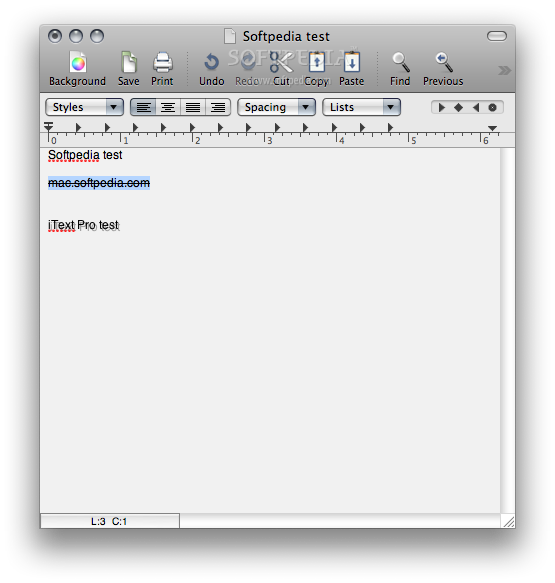
iText_Pro__09_3.3.zipiText Express is a cute, intuitive, and refined text editor with word processing completely rewritten in Cocoa, and is suitable for both Power PC and Intel Macs. iText Express provides the simplest way to make gorgeous manuscripts on your Mac! Yes, it's Yummy ! iText Express has lots of attractive features it shares with LightWayText, besides giving good vibes by fully complying with Mac OS X. iText Express blends seamlessly into the OS X environment, and will continue to grow with the power of Mac OS X. iText Express perfectly covers every feature of TextEdit basics and Microsoft Word compatibility as well.


TheUnarchiver2.3.zip……. Supports more formats than I can remember. Zip, Tar, Gzip, Bzip2, 7-Zip, Rar, LhA, StuffIt, several old Amiga file and disk archives, CAB, LZX, stuff I don't even know what it is.
Copies the Finder file-copying/moving/deleting interface for its interface.
Uses the character set autodetection code from Mozilla to auto-detect the encoding of the filenames in the archives.
Supports split archives for certain formats, like RAR.
Built around libxad (http://sourceforge.net/projects/libxad/). This is an old Amiga library for handling unpacking of archives. It supports a whole lot of formats, and I added a couple more, and bugfixed old code. I also wrote a higher-level Objective-C wrapper around it, which might be useful for other projects too (including Xee).


PowerManagement.bundle (Dell D630).zip…..Dell Latitude D630-D830 OS X kexts

Sound_Files (Dell D630).zip….Dell Latitude D630-D830 OS X kexts


Sleep_Fix (Dell D630-D830).zip….Dell Latitude D630-D830 OS X kexts


Don't forget to say "THANK YOU"!!!!

Thursday, February 4, 2010

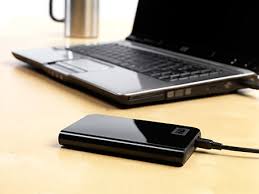
How to Install Snow Leopard in a "Portable Hard Drive"


One of the advantages of Snow Leopard OS (MacOS) is that it can be install on a flash drive, Hard drive, Portable hard drive etc. As long as the device has enough capacity. In the other hand, you can't install windows OS other place than a Hard drive. Some people don't have enough capacity in their hard drive and this installation will give them a different choice. The same technique can be use to install it into a Flash drive and others devices.

You can load the OS by just plugging the Portable hard drive into the Computer USB port and loading it with a bootloader program. I used Rebel EFI to install and to load it.

Just follow the instructions below:

Things You Will Need to install Snow Leopard in a PC.

Blank CD or DVD
Retail copy of Snow Leopard DVD
Internet Connection
Rebel EFI or bootloader program Compatible with your Computer. (Bios and hardware)
Portable Hard drive.


NOTE: Rebel EFI only supports SATA Optical Drives. The use of an IDE drive may prevent the computer from reading the Rebel EFI CD.

First you will need is the Bootloader program. You can download it and after Burn The .iso with a Burn Disc Image software like Nero, DVD rip and burn, Roxio, Magicdisc, etc.

Start your computer and insert Rebel EFI disc. Remember to plugging your Portable Hard drive into your USB port.

as soon as you PC Boots select "Boots options" in there select "CDROM" and just follow the prompt.

"Attempting to eject CDROM" Window will show. When prompted, Eject the CD.

Next: "Please insect Mac OS x DVD".

"Please wait while the installation is initialized". Next step:

Select Main Language, after that Click "Continue", if you want to continue with the installation of Snow Leopard.

Next step: Click Agree, if you agree.

after that Select the hard drive that you want to install Snow Leopard OS on.


At this point you will need to Format your portable hard drive. Click on Utilities on the tool bar, then select Disk Utilities.
On the left you should see your hard drive.
If not, a disk is not connected or cannot be read by your computer.
After selecting your hard drive click on Partition.
Under Volume Scheme, click current and select 1 partition.
Under Volume Information, name your hard drive.
Format: Free Space
Click Apply
Click Partition
After selecting your hard drive click on Partition.
Under Volume Scheme, click current and select 1 partition.
Under Volume Information, name your hard drive.
Format: Mac OS Extended (Journaled)
At the bottom of the window Click on the Options Button.
Select the GUID Partition Table
Click OK
Click Apply
Click Partition
Quit Disk Utilities


After that Select your Portable hard drive, click on "Install".

When installation is completed restart your PC. Don't worry if you see a "Installation Failed" after the installation has finished, Just restart your PC. That will not interfere with the installation of the software.
When you PC restarts make sure to select "CDROM" from the boot options.

Once CD loads you will see your computer Hard drive, your Potable hard drive, and the Rebel EFI CD icons.

-Use the arrow keys to highlight the Portable Hard Drive (or the drive where you installed the OS).
-Press Enter to boot the drive.
-Follow the on-screen authentication procedure. (Welcome Screen)

after that Select: Your keyboard, then Select, Do not transfer my information now, then If, you have an Apple ID enter it now.

next window:Enter your Registration Information.

Next: Select if you want to try MobileMe Free.

Next: select your region

and That's it....Finish!

The last thing you will need to do is to install the kext/driver compatible with your hardware. Not every hardware will work out of the box and in that case you'll need to do some research on which kext/drive is compatible with your hardware.


If you have any questions please don't hesitate to ask!

Wednesday, February 3, 2010

Knowledge and Some!


What is KEXT?
KEXT stands for Kernel Extension, this means that whatever needs to run in the kernel (OS core) environment can be written as extension and then loaded, even after the OSX has finished loading, this mostly answer the needs for hardware drivers.

Where are kext located?
kext are not files rather a folder (disguised as a file),

File extension KEXT description:
A .kext file is a kernel extension. They're generally used for device drivers and other things that need to modify the system at the lowest level. They're not the same as classic Mac OS extensions, as many of the things that classic Mac OS extensions did are done differently in Mac OS X.
Since kernel extensions aren't protected by Mac OS X's memory protection, developers are encouraged to stay away from writing them unless they absolutely have to. Even then, Mac OS X can dynamically load them, so chances are you'd rarely have to add anything to Mac OS X's Extensions folder.
Leopard holds kext files/folders in the /System/Library/Extensions folder,
at boot time the relevant kext are uploaded from Extensions.mkext this is a cache folder that contains kext related to the installed hardware,


you can delete it, if Leopard can't find it, it will create it again,

you can also state to rebuild it from darwin prompt at boot time using the switch -f see this post for further information.

How to Load and UnLoad Kext?
Kext can be loaded and unloaded during runtime using the kextload and kextunload command lines.

in order to load kext, from terminal write:
sudo kextload kextName (where kextName stands for the kext name you want to load)
enter your password and press enter
the system should reply with a success or fail message.
see the manual page for this command

in order to unload kext, from terminal write:
sudo kextunload kextName (where kextName stands for the kext name you want to unload)
enter your password and press enter
the system should reply with a success or fail message.
see the manual page for this command

you can also check the load status of your kext using kextstat, from terminal write:
sudo kextstat
the system will display a list of loaded kext and details on it
see the manual page for this command

How to Install a new Kext?
there is an easier method (not appropriate for all kext installs but works for 99% of them),
it is a little utility named KextHelper and it can be download here: KextHelperb7.pkg.zip....Drop files on its icon or on the open application.

Remember to BACKUP your system before installing a new Kext.


Kext Utility x64
v2.3.2

FULL version

Description

Kext Utility provide the next operations:
Install kext files;
Repair kexts permisssions for system's and Extra folders;
Pack kext files to mkext cache file.
UnPack mkext cache files.
Note:
The utility uses a modified widely applied fast method repairing of all (non/standart) kexts with little improvements. To all kexts the identical permisssions (a little more liberal, than it is necessary) are granted. Though it not 100% satisfies the system's "Disk Utility", however on working capacity of system, to the worst, does not affect.
Note that to run "Disk Utility" when you have enough time is the best way for repair all standart kext.

Update v2.3.2:
* improved repair routine for SnowLeo support
* additional info for CPU
Update v2.3.1:
* Corrected mkext's packing routine for SnowLeo x64 support
Update v2.3.0:
* rewritten repair algorithm
* improved statistic output

Download it here:KextUtility.v2.3.2.full.Snow.Leo..zip

what is Disabler.kext?

Since first running 10.5 on PCs, we noticed a new kernel extension which would create a little havoc with many PCs - AppleIntelCPUPowerManagement. The basic purpose of this kext to to help managing the CPU state with its voltage and frequencies via the thermal zones that are set up for it. However, the timer which is specifically uses is HPET, a much more optimized and effective timer compared to the RTC and 8254 timers which are commonly preferred as of now in PCs. Though Windows is starting to take advantage of HPET from what I've read recently. HPET also never needs to use the CPU's time stamp counter, which is an advantage of freeing up the CPU a little more.

What is AppleDecrypt.kext?

Apple uses an AES encryption scheme with a few of the binaries in their software - Dock, Finder, loginwindow, SystemUIServer, mds, ATSServer, translate and translated for rosetta. Google them if you don't know their purposes. On regular Mac computers these are decrypted via the SMC included in the computer, and is used as a (very weak imo) implementation of making sure that only Apple computers run OS X. I can tell you that many people who use boot-132 CDs find out they forgot to include a copy of dsmos.kext or AppleDecrypt.kext when they attempt to run the OS and when they finally get to the GUI screen, nothing start up. That's because loginwindow is segfaulting.

Basically AppleDecrypt.kext is one of the 3 common kexts used to execute dsmos_page_transform_hook and return the 2 32 byte values that is needed to completely decrypt the binary. What these kexts do is they are a replacement for the vanilla kext that gets installed with system version updates, called "Dont Steal Mac OS X.kext" - its difference is they perform the same purpose but returns the known decryption key itself. Without overriding this, you wouldn't be able to use the OS, or at least the GUI end, as it is only used with a minimal list of binaries. (-nawcom).


What is a vanilla compatible system ?


A vanilla compatible system is a computer capable of running OSx86 with minimal modifications (no patched kernel, compatible with Apple software updates). You have a vanilla capable system if: you have a Core 2 based processor

What is DSDT ?

DSDT is a part of ACPI. Actually DSDT tells OS how to interract with the hardware (simplified way of telling it). OSX has an incomplete ACPI implementation which supports only a subset of DSDT. By replacing DSDT we can declare essentially the same interface but in the way that OSX understands. This potentially can solve nearly any ACPI-related problem (except if OSX bypasses ACPI). Other usage case is emulating by the means of DSDT features or hardware components not present on your system. But this is limited to devices that use ACPI.

ACPI defines a large number of tables that provide the interface between an ACPI-compliant operating system and system firmware. These allow description of system hardware in a platform-independent manner, and are presented as either fixed formatted data structures or in ACPI Machine Language (AML). The main AML table is the DSDT (differentiated system description table).
The Root System Description Pointer is located in a platform-dependent manner, and describes the rest of the tables.


Q. What is EFI emulation ?


Extensible Firmware Interface (EFI) is a specification that defines a software interface between an operating system and platform firmware.. EFI is basically the “BIOS” of a Mac. For a computer to be properly recognized as a mac and to have the most compatibility it must have EFI. The problem here is that PCs do not have EFI.Developers have counteracted this problem by using EFI emulation which enables basic EFI function calls through a specially modified bootloader. EFI distributions for OSx86 include PC_EFI and Chameleon. Nearly all OSx86 installs have some form of EFI emulation installed, so this is not necessarily something to worry about. EFI emulation is required to use vanilla (unpatched) kernels and kexts, and to use GUID partition maps and EFI strings.

you can learn more in the link below:

EFI emulation


LegacyAppleIntelPIIXATA.kext? Well known legacy plist for SATA controllers.

NullCPUPowerManagement.kext?

DFE's IntelCPUPM disabler. NullCPUPowerManagement is an XNU kernel extension for use with OS X to prevent a kernel panic caused by incorrectly configured HPET devices on generic x86 hardware. Note, this extension overrides the CPU power management functionality making the CPU run at full throttle all the time. This in turn gives better performance but reduces battery life on mobile units.

OpenAHCI.kext? Legacy plist for ICH9 and ICH10 AHCI driver.

OpenBlockDevice.kext? Legacy plist for orange hard drive icons (internal seen as external).

OpenCompatible.kext? SMBIOS injector.

OpenHaltRestart.kext? Well known kext to fix Shutdown and Restart issues.

OpenInstall.kext? Looks like a decrypter kext (dsmos / AppleDecrypt).

Elliott Force Legacy RTC.kext?

ElliottForceLegacyRTC is an extension that fixes ACPI issues which became problematic with 10.6 without patching/replacing the DSDT (prevent bios settings reset on Snow Leopard). Thank you Dave for coming up with this idea...patching sucks. Note, this extension does no detection and blatantly forces the RTC length to 2 bytes, which should be the correct value on x86 systems.

Realtek R1000.kext?
Realtek kernel extension for 8111(X) chip sets for 10.6.X.

FakeSMC 2.5 - SMC (System Management Emulator) Emulator.

Intel82566MM.kext? - Driver for the ethernet controller Intel 82566MM *x64 only

AppleACPIPS2NUB.kext? & ApplePS2Controller.kext? - Allows the use of PS/2 keyboards, mice.

AttansicL1eEthernet.kext? - KEXT for the Attansic L1e Ethernet chipset.

NVInject.kext? - An Nvidia graphic injector *x64 only.

Natit.kext? - Graphic injector KEXT with editable paramaters.

SKGE.kext? - Gives functionally to some select Marvell ethernet controller.

AtherosFix.kext? - Dummy KEXT for Atheros Wireless cards. Add device-id to the existing info.plist if need be.


Don't forget to subscribe to my blog!

Tuesday, February 2, 2010

Kexts for Hackintosh!

Click at the Link below to download the kexts.

Remember:

1) Use it at your OWN RISK!

2) Backup your system BEFORE INSTALLING NEW KEXT!


AppleAC97Audio.kext.zip

-Radeon 7500 Graphics card

-0xED is a native OS X hex editor based on the Cocoa framework. OxED.zip

-ALC883 (audio).zip

-ALCinject (audio).zip

-AppleHDA.kext (audio).zip

-AppleHDA_432.kext (audio).zip

-BootCDMaker_1.5.zip...Burn Bootloader CD with this Software..Version 1.5.0b

-Boot_Think_2.3_Mac.zip

-CPUx.pkg.zip

-Chameleon_2_RC1+PC_EFI_10.1.zip...Bootloader...Thx,The Chameleon Group.

-Checksum-1.4.zip..An acronym for SUMmation CHECK. In data communications, an error-checking technique in which the number of bits in a unit of data is summed, transmitted along with the data, and checked by the receiving computer.

-DPCIManager.pkg.zip..DPCI Manager. Simple tool to examine PCI devices and assign user readable names to them.

-DSDT_simple_editor_v1.2.1.zip

-EFI-Partition-Mounter.zip

-EFI_Studio.zip... EFI Boot Partition Installer to EFIStudio

-Extensions-Repair.zip

-HDAEnabler.kext (audio).zip

-HimmelBar.pkg.zip...HimmelBar provides an icon in the menu bar to quickly access your installed applications

-INSTAHackintoshGUI.zip

-IORegistryExplorer.zip

-KextHelperb7.pkg.zip.Drop files on its icon or on the open application.

-KextSpy.zip

-KextUtility.v2.3.2.full.Snow.Leo.x64.ready.by.cVad.dmg.zip...Make operations with Kexts easily. Just Run, Drag and Drop, and DONE!

-LSPCI-Snow_x86.zip....

-LegacyAppleHDAHardwareConfigDriver.kext (audio).zip

-LegacyHDAPlatformDriver.kext (audio).zip

-LimeWire_PRO_5.4.6_Beta_FULL_Mac.dmg

-Lizard_0.1-beta.zip

-MD5 Checker.zip...MD5 Checker by PCWIZ

-Mega_Pack_Kexts_Snow_x64_(Sept_3_2009).zip

-MenuMeters.pkg.zip

-OSvKernDSPLib.kext (audio).zip

-OpenHaltRestart.kext_for_snow_64.tar...OpenHaltRestart (OHR) is a kernel extension that fixes reboot and shutdown on PC-based machines without binary patching or recompiling the kernel.

-SL_PS2_HDA (audio).zip

-Series-of-LegacyHDA-888 (audio).zip

-ShowAllFiles.zip...... shows all files in your Hackintosh

-Show_Hide_Files.zip

-SlimbuildGUI 1.0 - BOOT 132 ISO Creator .zip...... SlimBuildGUI tools you can create your very own Mac OSX Leopard ISO

-Snow_Files_Best_Pack_1.0.1.dmg.zip

-UInstaller.pkg.zip

-TorrentDam_2.0.dmg

-VoodooHDA-0.2.2 (audio).zip

-battery.pkg.zip...If you Battery doesn't show in the Menu Bar just install it and it will Fix.

-cudadriver_2.3.1a_macos.pkg.....Kext for Geforce 9600 Gs NVIDIA

-kXAudioDriver-1.3b0.dmg

-lspci_Installer_1.0_myHack.mpkg.zip

-rebelefi_latest.iso

-unHideIT.v1.1.dmg.zip

-voodoohda_v021_64bit (audio).zip

-x64_audio_for_ALC888 (audio).zip

I hope this could help you!


Don't forget to say THANK YOU!!!!